Gradescope Calendar  View on GitHub
Generate an iCal calendar of your Gradescope assignment due dates.
- Log in to your Gradescope account.
- Open the browser's developer tools (right-click → Inspect Element).
- Go to the "Application" tab, then "Cookies" → "https://www.gradescope.com".
- Find the cookie named "signed_token".
- Copy its value.
- Paste your token into the input field below and then clip the copy button.
- Open your calendar app and add a new calendar subscription using the copied link.
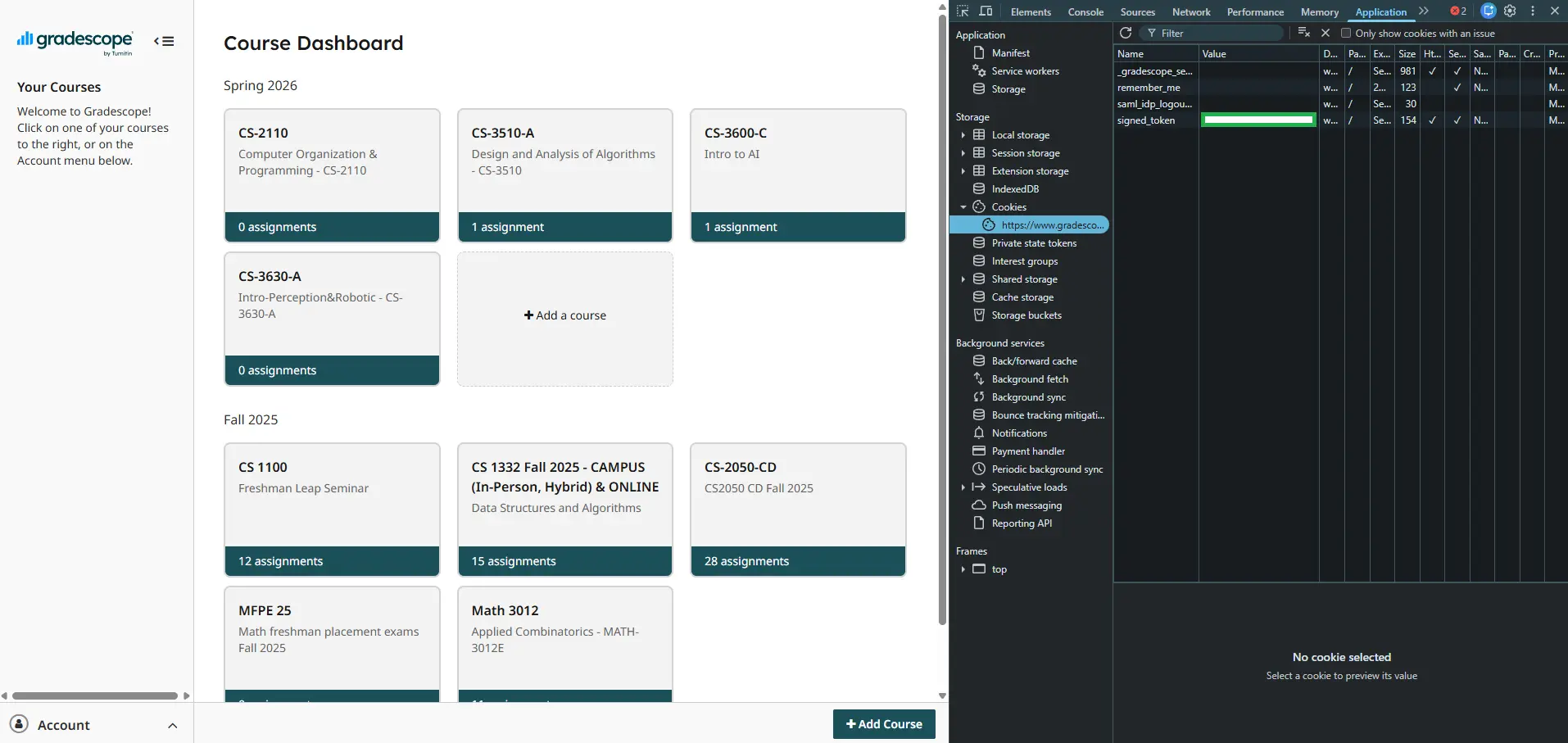
Screenshot of Gradescope token location.